How to Avoid Online Scams and Phishing Attacks?
The internet has made life easier in many ways. People use it for banking, shopping, communication, education, and entertainment. However, the growing use of the internet has also increased the number of online scams and phishing attacks. Cybercriminals try to trick users into sharing personal information, passwords, or financial details.
Learning how these scams work and understanding the warning signs can help people stay safe online. With a few smart precautions, it is possible to protect personal data and avoid becoming a victim of online fraud.
What Are Online Scams?
Online scams are fraudulent activities where criminals attempt to deceive people through the internet. Their goal is usually to steal money, personal information, or login credentials.
Scammers often pretend to be trusted organizations such as banks, government agencies, or well-known companies. They send messages that appear legitimate in order to gain the victim’s trust.
Common Examples of Online Scams
Some of the most common online scams include:
- Fake lottery or prize winnings
- Fraudulent job offers
- Online shopping scams
- Investment scams promising quick profits
- Fake technical support services
- Romance scams on social media or dating platforms
In many cases, scammers try to create urgency so that the victim acts quickly without verifying the information.
What Is Phishing?
Phishing is a type of cyberattack where criminals send fake messages pretending to be from trusted sources. The purpose of these messages is to trick people into revealing sensitive information such as passwords, banking details, or credit card numbers.
Phishing messages often look very realistic. They may include company logos, professional designs, and official-sounding language to make them appear genuine.
Common Phishing Methods
| Phishing Method | Description |
|---|---|
| Email Phishing | Fake emails that appear to come from trusted companies or banks |
| SMS Phishing (Smishing) | Text messages asking users to click suspicious links |
| Voice Phishing (Vishing) | Phone calls pretending to be from official organizations |
| Fake Websites | Websites designed to look real but used to steal login details |
| Social Media Phishing | Messages sent through social platforms requesting personal information |
Understanding these methods makes it easier to recognize suspicious activity.
Warning Signs of Online Scams
Many scams share similar warning signs. Identifying these signs early can prevent serious problems.
Urgent or Threatening Messages
Scammers often try to create panic by sending messages that demand immediate action. For example, they might claim that an account will be suspended unless the user verifies information quickly. These messages are designed to pressure people into acting without thinking.
Requests for Personal Information
Legitimate companies rarely ask for sensitive information through email or messages. If a message asks for passwords, bank details, credit card numbers, or verification codes, it should be treated with suspicion.
Suspicious Links
Many phishing attempts include links that lead to fake websites. These websites may look almost identical to real ones but are created to capture login information.
It is always safer to type the official website address manually instead of clicking unknown links.
Poor Grammar or Unusual Language
Some scam messages contain spelling mistakes or unusual phrasing. While this is not always the case, poorly written messages can sometimes indicate fraudulent activity.
Practical Ways to Avoid Online Scams
Taking preventive measures can greatly reduce the risk of falling victim to online scams.
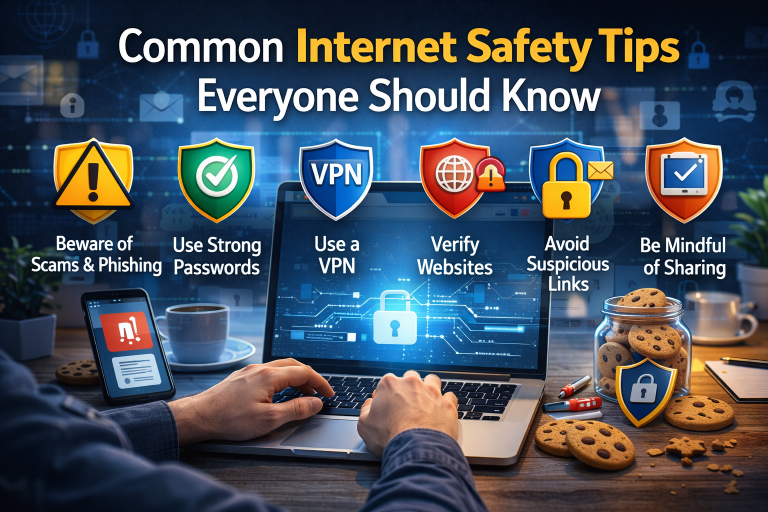
Verify the Source
If a message claims to come from a bank, company, or service provider, it is important to verify it. Instead of clicking links in the message, visit the official website or contact customer support directly.
Avoid Clicking Suspicious Links
Unexpected emails or messages that contain links should be treated carefully. Clicking unknown links may lead to phishing websites or download malicious software.
Use Strong and Unique Passwords
Creating strong passwords is an important part of online security. A good password should be long and contain a mix of letters, numbers, and symbols. Using different passwords for different accounts adds another layer of protection.
Enable Two-Factor Authentication
Two-factor authentication adds an additional security step when logging into an account. Even if someone obtains the password, they will still need a verification code to access the account.
Keep Devices and Software Updated
Regular updates help fix security vulnerabilities in devices and applications. Installing updates for operating systems, browsers, and apps helps protect against potential threats.
Safe Online Habits Everyone Should Follow
Developing safe online habits can prevent many security problems. Consistently following basic safety practices makes it much harder for scammers to succeed.
Important habits include:
- Avoid sharing personal information with unknown contacts
- Do not download attachments from unfamiliar senders
- Check that websites use secure connections (https)
- Be cautious when using public Wi-Fi networks
- Regularly check bank accounts for unusual activity
These habits help create a safer online environment.
What to Do If You Suspect a Phishing Attempt
If a suspicious message is received, it is important to act carefully and avoid interacting with it.
Recommended steps include:
- Do not click any links in the message.
- Avoid downloading attachments.
- Report the message to the relevant service provider.
- Delete the suspicious message from your inbox.
- Run a security scan on your device if necessary.
Taking these steps can help prevent further risk.
What to Do If You Become a Victim
If someone realizes that they have shared information with a scammer, quick action is essential to reduce damage.
Steps to take include:
- Immediately change passwords for affected accounts
- Contact the bank or payment provider
- Enable additional security features on accounts
- Report the incident to relevant authorities
- Monitor financial accounts for unusual transactions
The faster action is taken, the better the chances of protecting personal information.
Frequently Asked Questions (FAQs)
What is the main goal of phishing attacks?
The main goal of phishing attacks is to steal sensitive information such as login credentials, financial details, or personal data.
How can fake websites be identified?
Fake websites often have unusual domain names, missing security certificates, or slight differences in spelling compared to the official website address.
Are phishing attacks only sent through email?
No. Phishing attacks can also occur through text messages, phone calls, and social media platforms.
Can security software prevent phishing attacks?
Security software can help detect suspicious websites and malicious files, but users still need to remain cautious and verify messages carefully.
Why do scammers create urgent messages?
Scammers use urgency to pressure people into making quick decisions without verifying whether the message is legitimate.
Conclusion
Online scams and phishing attacks are becoming increasingly common as more activities move online. Cybercriminals constantly develop new strategies to trick internet users.
However, awareness and careful online behavior can significantly reduce the risk of becoming a victim. By recognizing warning signs, verifying suspicious messages, and practicing safe internet habits, users can protect their personal information and enjoy a safer online experience.